
Products · Prices · Buying guides
Joyagoo Spreadsheet
Find the product, compare its options, and plan the order from purchase to delivery.
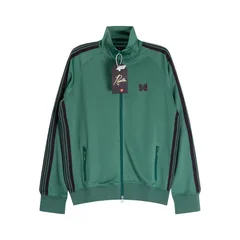
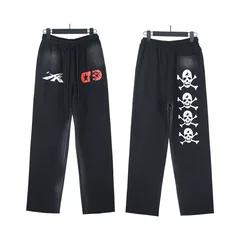
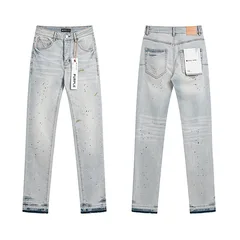
Browse product categories
What is Joyagoo, and how do you order?
Joyagoo is a shopping agent: you submit a product order, the goods are received at its warehouse, and you arrange onward shipping after reviewing them.
This independent spreadsheet brings together 2,429 product references, displayed USD prices and the corresponding Joyagoo purchase links. Use it to compare candidates; confirm the selected option and current charges on the platform before paying.
This is an independent product directory and buying guide. It is not the official Joyagoo website.
- Choose a product and its optionsUse the categories or search, then record the exact item, colour, size and quantity.
- Submit the order on JoyagooOpen the product’s purchase link, confirm its options and the displayed charges, then pay the product order. Buying guide
- Review the warehouse QCCompare the received item with your saved selection. Resolve a discrepancy or request a useful view before sending it. QC guide
- Choose shipping and pay the freightSelect the items, packing and eligible route for your destination. Review the parcel quote and pay international shipping. Shipping guide
- Track the parcel and check deliveryFollow the carrier events and check the contents and condition when the parcel arrives. Tracking guide
 Underwear
 Socks
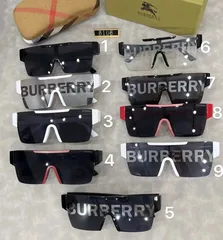 Eyewear
 Belts
What information belongs with a saved link?
Keep the selected options, quantity, displayed currency and the date you checked the listing. Add the most important unanswered detail, such as a garment length or a bag opening. Save personal order identifiers privately, not in a public spreadsheet.
How should I think about the total cost?
Separate product spending from the prepared parcel. Packing can change dimensions; a shipping line may use volumetric weight as well as actual weight. The shipping guide covers comparable inputs and the calculator explanation shows a transparent hypothetical example.
What a useful spreadsheet entry contains
1. Can I identify the product?
The current listing should match the entry's description and model. Browse jerseys in the catalog and notice how season, cut and printing can distinguish similar pictures. If you cannot tell which version the row means, the comparison is not ready.
2. Can I preserve the option?
A useful row makes it easy to record size, colour, quantity and any selected extras. A URL may open the listing without restoring those choices. The spreadsheet links guide explains the notes that keep a candidate recognisable later.
3. Can I compare the price fairly?
Check currency, quantity and the exact option associated with the amount. A starting price for one variation is not necessarily the price of the option you want. Product totals also do not settle the international shipping total.
If the list offers a general cheapness claim, look for the inputs behind it. A comparison without matching products and included charges does not tell you which purchase costs less.
5. Is the next action clear?
Good navigation should lead from selection to order guidance, shipping questions and relevant safety checks. A long directory that loses the reader between stages is less useful than a smaller organised collection.